
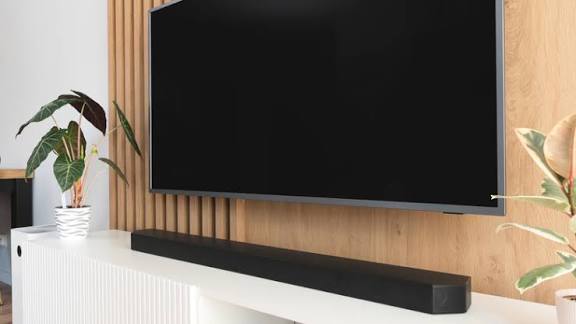
HDMI may be the most popular way to connect devices to a smart TV, but it’s far from the only option. Modern TVs and even older models support a range of alternative connections that let you enjoy movies, music, photos, and even wireless streaming without touching an HDMI cable. From audio gear and storage devices to laptops, smartphones, and old-school players, here are nine effective ways to link your devices to a smart TV without HDMI.
1. Soundbars (Digital Optical Cable)
Many soundbars connect to smart TVs through a digital optical cable a square-shaped port found on both devices. The cable emits a red light and supports high-quality audio, often up to 5.1-channel surround sound. It’s a simple and reliable way to boost your TV’s audio without HDMI, though it won’t support advanced audio formats like Dolby Atmos.
2. Soundbars and Headphones (Auxiliary Cable)
Some TVs and soundbars support 3.5 mm auxiliary inputs, the same port used for wired headphones. It’s an easy, affordable audio connection, though it only supports stereo sound. If your TV has a headphone jack, you can plug in wired headphones directly for private watching.
3. Bluetooth Headphones and Speakers
If your smart TV supports Bluetooth, you can pair wireless headphones or speakers without any cables at all. This is ideal for late-night viewing or wireless audio setups.
4. USB Flash Drive
Most smart TVs have USB ports that support media playback. By plugging in a USB flash drive, you can play MP4 and AVI videos, JPEG and PNG photos, and MP3 or AAC audio files directly on your TV.
5. External Hard Drives / SSDs
Larger external storage devices also work with many TVs. They are typically plug-and-play and support a wide range of video, photo, and audio formats perfect for watching movies saved on your drive.
6. TV Antennas (Coaxial Cable)
Smart TVs often include a coaxial port for connecting HD antennas. Once connected, you can scan for over-the-air channels and watch local stations without HDMI or cable subscription fees.
7. VCRs and Older DVD Players (Coaxial Connection)
If you still own classic devices like VCRs, many connect via coaxial cables. While quality is limited, it’s an easy way to relive old tapes or legacy footage on a modern TV.
8. RCA Devices (Using TV RCA Ports or Adapters)
Some older DVD players, camcorders, and game consoles use RCA cables the yellow (video) and red/white (audio) connectors. While most new TVs no longer include RCA ports, many support RCA-to-TV adapters that plug into a dedicated input, allowing legacy devices to work without hassle.
9. Laptops, Smartphones, and Tablets (Wireless Casting)
Modern smart TVs support wireless casting standards like Apple AirPlay, Google Cast, and Miracast. Without any cables, you can mirror your phone, tablet, or laptop screen, or stream apps directly to your TV. Brands use different names for these features Samsung calls it Smart View, while LG uses Screen Share but the function is the same. Just make sure both devices are on the same Wi-Fi network.
These nine options show that HDMI isn’t your only path to connecting devices to your smart TV. Whether you prefer wireless convenience, USB storage, or older analog ports, your TV likely supports more ways to connect than you realise.